
Teachers are constantly being told to switch methods of instruction. From direct instruction to problem based learning and now to design based learning, but is it even worth it? And how can we use design based learning within the classroom? Design based learning (DBL) encourages students to learn by designing. It allows for students to find a solution to a real-world problem. Students engage in an inquiry and reasoning process which allows them to create original structures and solutions (Kim, et al., 2015). DBL can be used to explain different ideas and solve problems. DBL allows for new thoughts, curiosity and creativity to come forward in students learning. Research has shown that DBL increases students understanding of concepts which is why it is suggested that DBL practices should be incorporated into the classroom. It allows for students to engage with self-discovery and learning as they explore new concepts and discoveries (Kim, et al., 2015). Below is an image of the five phases of the design process. As a teacher, this can be used as a guide to see how DBL can be implemented.
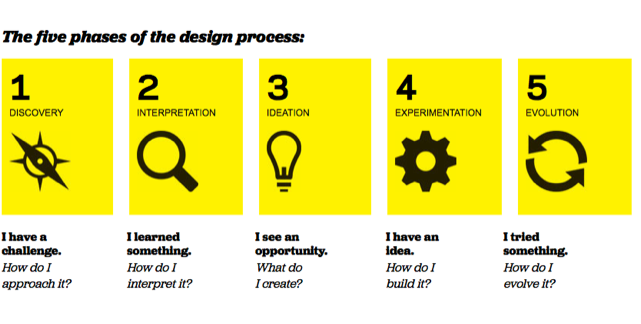
There are many different programs and ideas that can be used to foster this DBL style. Coding is usually something that is looked at when discussing DBL. One software that can be used is Scratch. Scratchis designed with children in mind, it has an easy interface which does not require students to learn a new language. It has the ability to be used for simple or complex activities. Students are allowed the freedom to explore and experiment with the program to see what is capable and try to different commands (Otrel-Cass., et al., 2009).
Below is my own attempt at using scratch, while it took a while to understand, once I did it was very easy to use.
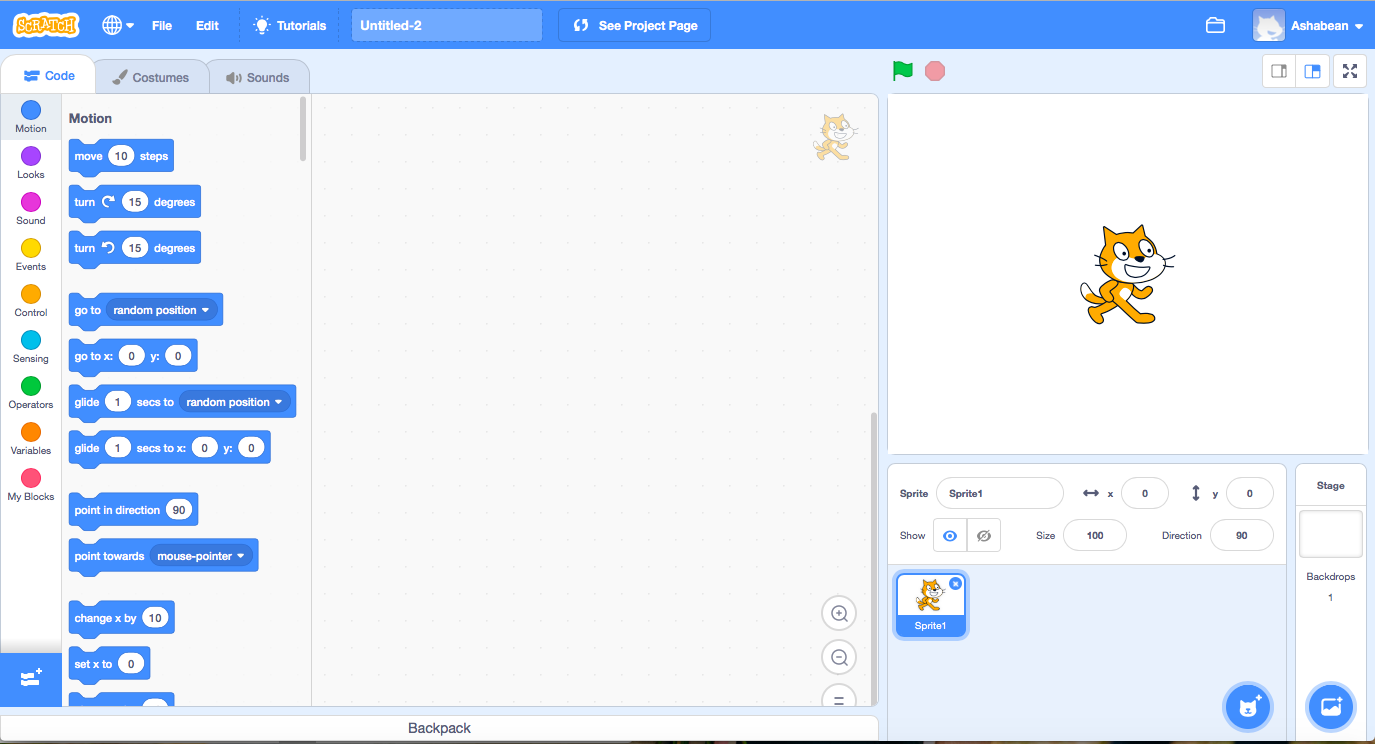
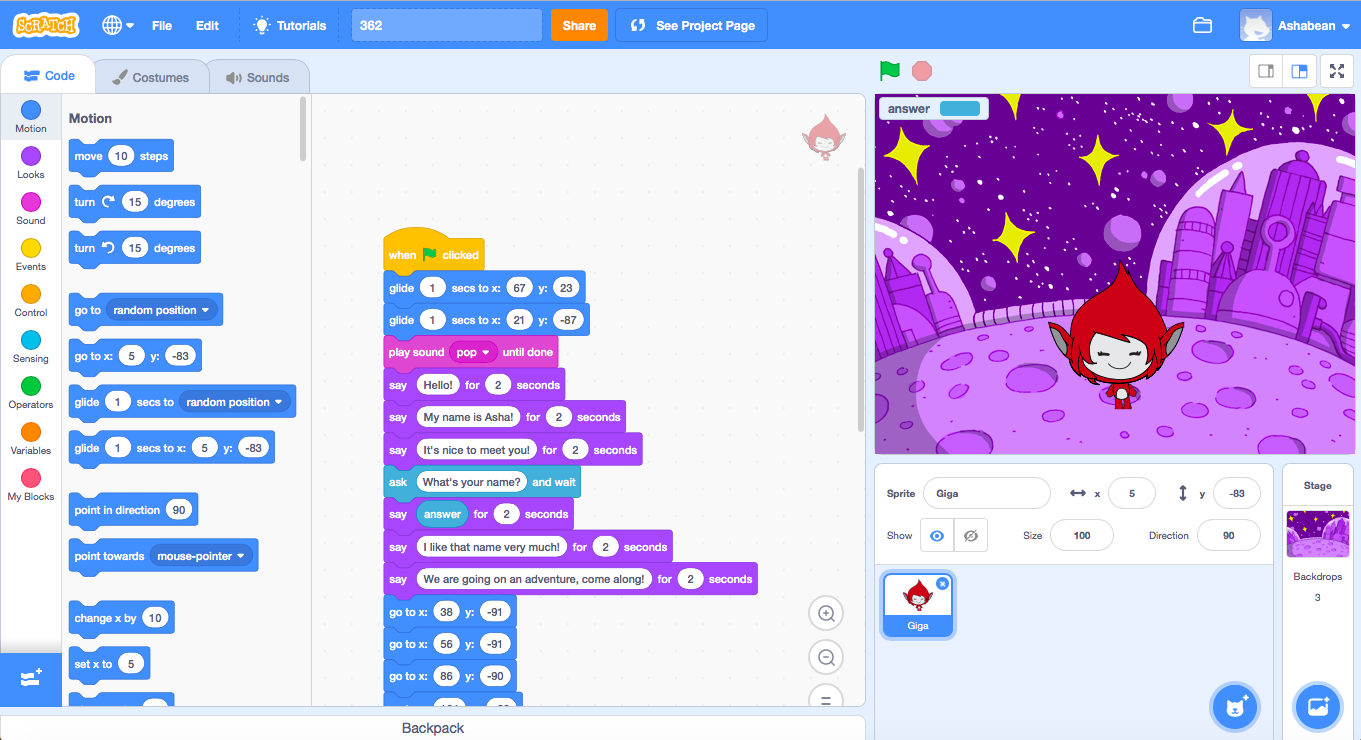
https://scratch.mit.edu/projects/293454687/
Using Scratch in the classroom has been shown to encourage engage and learning for the students as they created something that had to work (Kim, Et al., 2015). It allows for students to make mistakes without major consequences, as they can continue to experiment to figure out how to fix the issue (Otrel-Cass, et al. 2009). Scratchcan be a software which incorporate this DBL into other subjects, such as English, as it offers students the chance to story tell while learning coding, expanding their skills beyond the basic literacy offered in the classroom (Burke & Kafai, 2012). By using Scratchin the English curriculum, the classroom is pushing beyond a technology learning into coding, giving these students reasons to code and different ways to tell stories which may be more applicable in the 21stcentury (Burke & Kafai, 2012).
Bibliography:
Burke, Q., & Kafai, Y. (2012). The writers’ workshop for youth programmers: Digital storytelling with scratch in middle school classrooms. Proceedings of the 43rd ACM Technical Symposium on Computer Science Education, 433-438.
Kim, P., Suh, E., & Song, D. (2015). Development of a Design-Based Learning Curriculum through Design-Based Research for a Technology-Enabled Science Classroom. Educational Technology Research and Development, 63(4), 575-602.
Otrel-Cass, K., Forret, M., & Taylor, M. (2009). Opportunities and challenges in technology-rich classrooms: Using the scratch software.(USING TECHNOLOGY)(Report). Set: Research Information for Teachers (Wellington), (1), 49.
 Asha Beaton
Hey Asha!
I love how Scratch allows students to constantly experiment and make mistakes! I think the way all students can learn is by making mistakes and learning from them! As an aspiring english teacher i believe this would benefit my students especially in literacy skills as students often tend to struggle. I think Scratch is an excellent took for design based thinking 🙂
Good work !!!!!
LikeLiked by 1 person
Hi Caziza,
Thanks for your response. I agree that scratch would be awesome for literacy and design based thinking. I think English students would love to use scratch in the classroom!
Asha
LikeLiked by 1 person
Hi Asha,
First of all, it was interesting to see the screenshots of you attempting to use scratch yourself. As teachers, I think it is important for us to always attempt such programs ourselves and put ourselves into the student’s shoes to see what opportunities the technology has to get students to learn, and decide if the software is ‘fit for purpose’. I think it is important that you mentioned that scratch allows for students to make mistakes without any consequences and continue on designing as this is an important element in design learning. Scratch also has the opportunity to teach students computational thinking (in the new science and technology syllabus). It is a very highly rated program and allows students to see the sophistication of coding, without making it too difficult for them. With consideration to pedagogical implications, my only concern with scratch is getting students to learn how to use the software. I found it took me a while to work out how to use it. Therefore, for it to be implemented into the classroom students must be given extra time to explore the program and some direct instruction is necessary before students can harness the potential scratch has to offer.
LikeLike
Hi Asha,
It was interesting to read about the benefits of DBL in the classroom. You have also provided great examples of the ways scratch can be implemented in the English curriculum through students creating their own stories. You have provided clear examples of the ways Scratch is beneficial in the classroom for learning coding and design based thinking,
LikeLike
Hi Asha,
I found your research about DBL in the classroom very informative and I think you have linked it’s application to Scratch very clearly! You mentioned it could be linked to English outcomes through story telling activities. I think that’s a great idea. Is there an activity in particular you had in mind that you could unpack for me? I’d love to hear your thoughts.
Clare 🙂
LikeLike
Hi Asha,
I love how you use coding as a tool for education as well as educating students on how to code. The use of storytelling within coding is a great idea as it provides the motivation for students to engage with the coding task and doesn’t allow for students to just become absorbed in the novelty of coding without an alternative cross-curriculum learning agenda.
Great job!
LikeLike
Hi Asha,
Thank you for the great information that you included about design-based thinking, particularly about Scratch! During the design-based thinking tutorial, I focused more on Tinkercad so it’s great to see the similarities and differences between the two technological tools and how they can be incorporated effectively in the classroom.
I particularly appreciate the screenshots that you have included in your post because it helps me to understand how simple it would be for students to use Scratch to learn coding. Of course, the simpleness would come after explicit instruction and some practice!
Great Job!
Vanessa
LikeLike